





Ideogram 4 ComfyUI workflow: structured text-to-image with precise layout and typography#
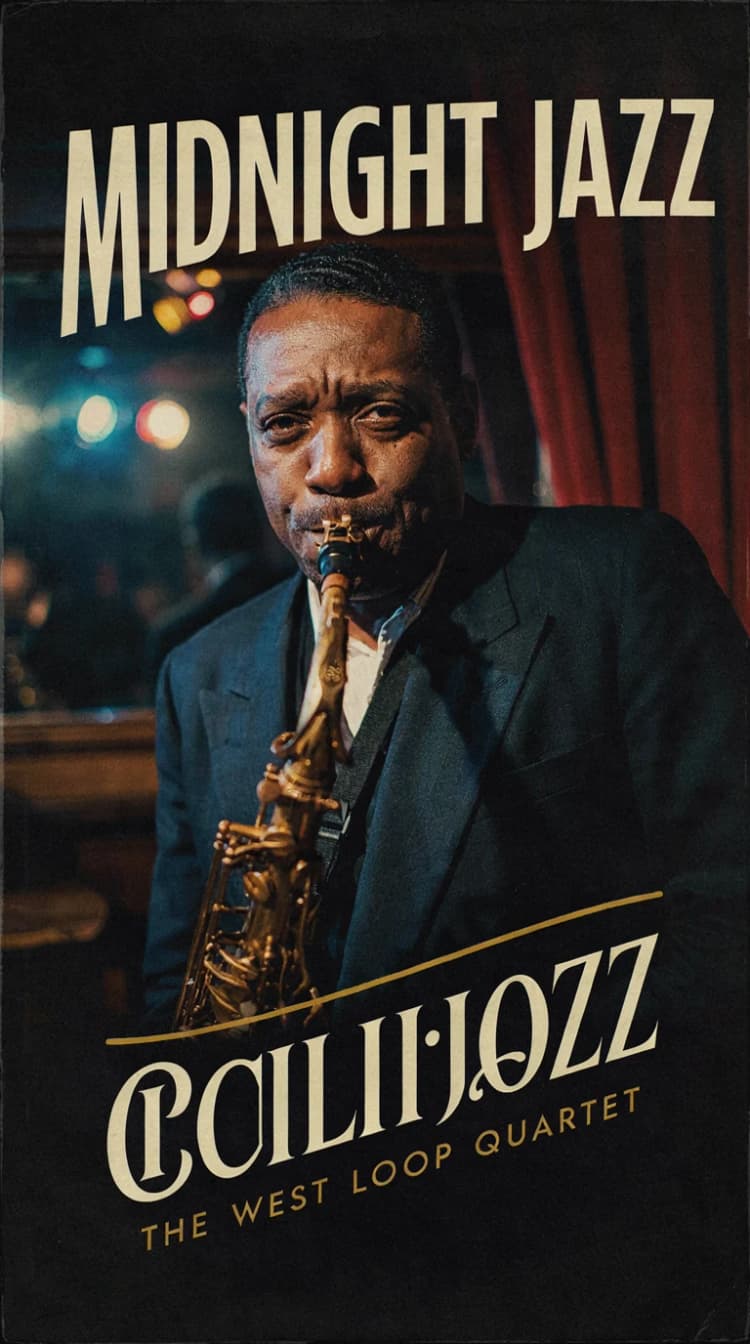
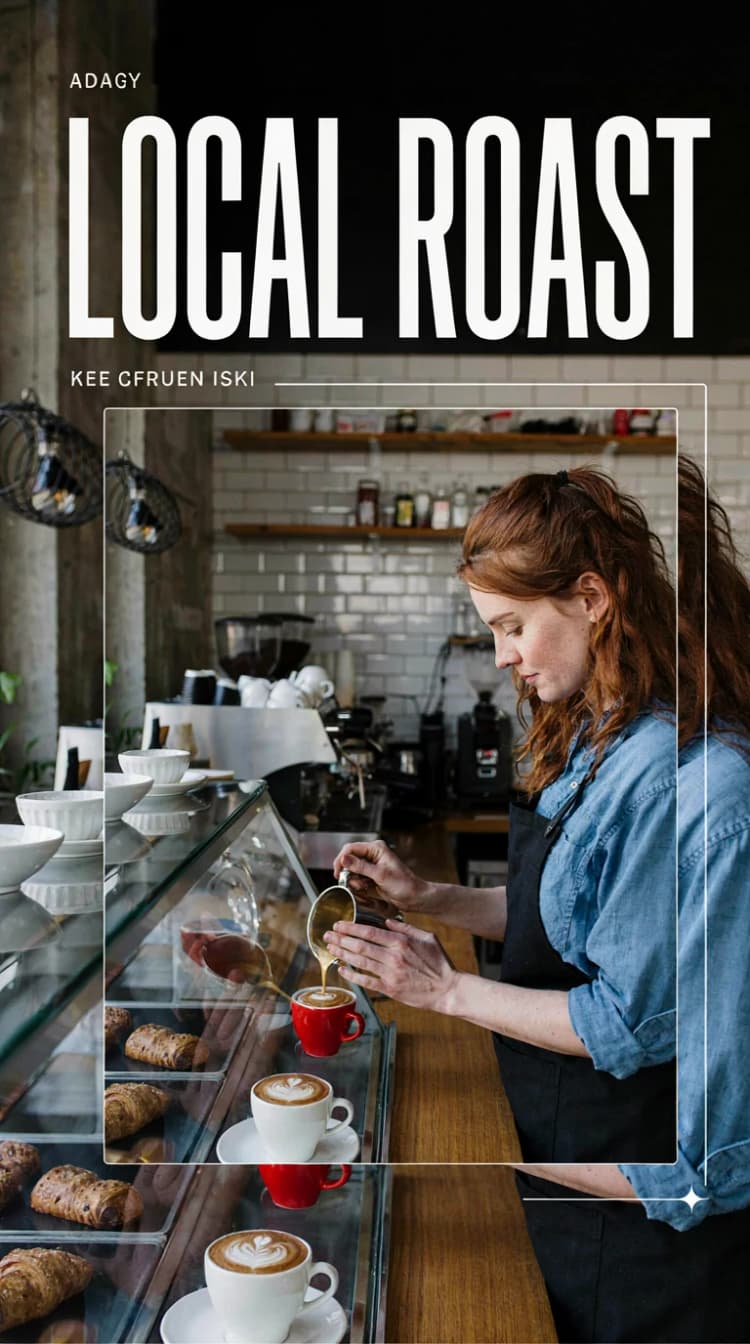
This Ideogram 4 ComfyUI workflow is a compact, RunComfy-ready template for Ideogram 4.0, an open-weight, non-commercially licensed text-to-image model built for design, layout control, and reliable in‑image text. It turns structured JSON captions into images with scene summaries, style blocks, normalized bounding boxes, and hex color palettes, making it ideal for posters, brand comps, typography‑heavy graphics, and layout‑aware illustration.
The graph delivers a clean, single‑path text‑to‑image pipeline plus an optional on‑graph JSON prompt builder. If you already write JSON prompts, paste them and render immediately; if you prefer to start from a short idea, the LLM helper can draft a schema‑correct caption you can preview and paste into the generator. Under the hood, the workflow follows Ideogram 4’s flow‑matching DiT sampling with asymmetric classifier‑free guidance.
Key models in Comfyui Ideogram 4 ComfyUI workflow#
- Ideogram 4 (FP8). The 9.3B‑parameter Diffusion Transformer trained with flow matching, designed for JSON‑guided generation, strong text rendering, and explicit layout control. Official model card: ideogram-ai/ideogram-4-fp8. Inference code: ideogram-oss/ideogram4.
- Ideogram 4 Unconditional branch. A paired unconditional checkpoint used for asymmetric classifier‑free guidance during sampling; packaged for ComfyUI alongside the main model: Comfy-Org/Ideogram-4.
- Qwen3‑VL‑8B‑Instruct (FP8). A vision‑language encoder used as the text encoder, providing multi‑scale semantic features from the prompt: Qwen/Qwen3-VL-8B-Instruct-FP8 (ComfyUI repack: Comfy-Org/Qwen3-VL).
- FLUX.2 VAE. The decoder used to turn sampled latents into final images, packaged for ComfyUI: Comfy-Org/flux2-dev.
How to use Comfyui Ideogram 4 ComfyUI workflow#
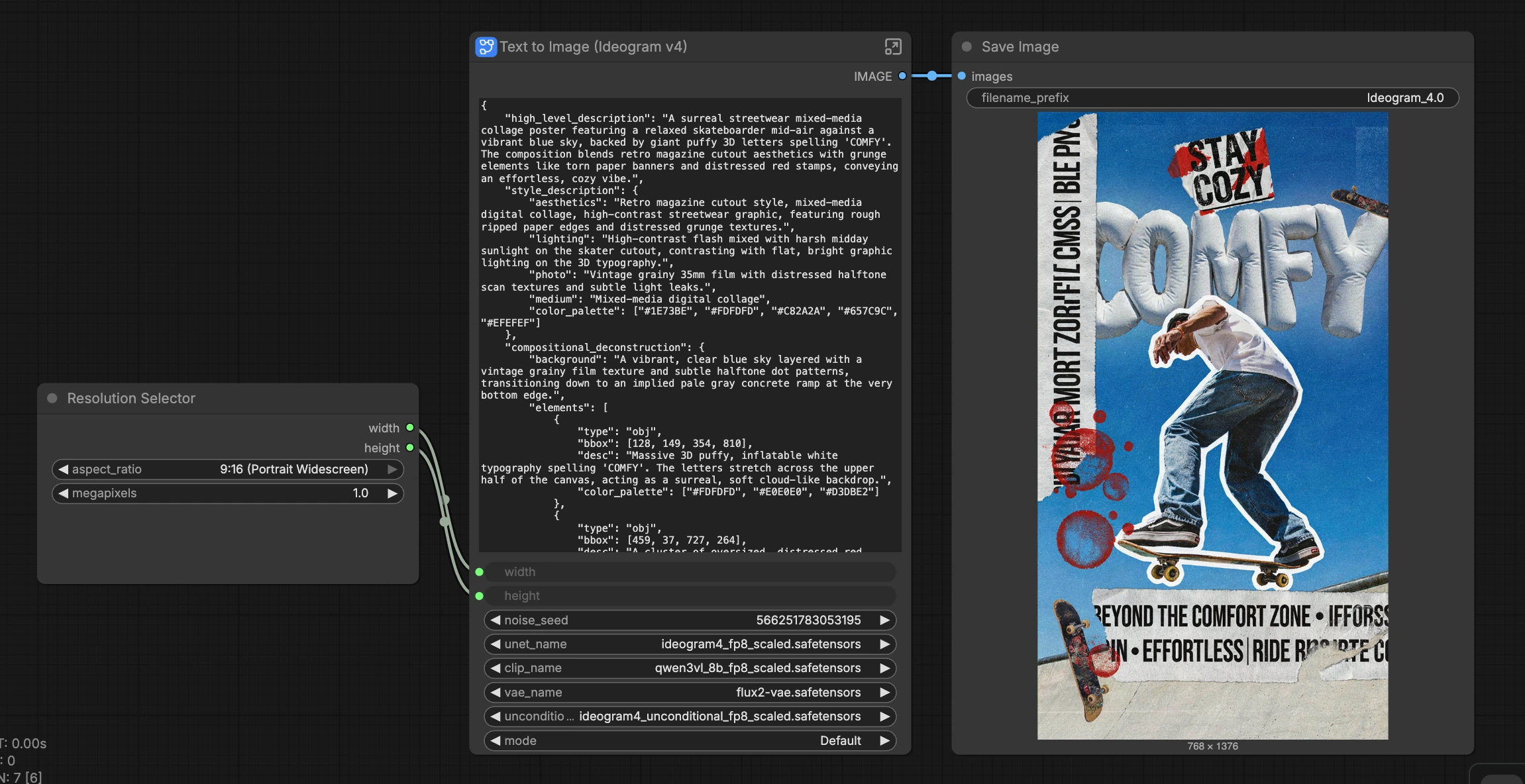
Overall logic: choose a canvas, provide a prompt (ideally structured JSON), pick a sampler preset (Default, Quality, Turbo), then render. The main “Text to Image (Ideogram v4)” subgraph performs encoding, guidance, sampling, and decoding in one pass; an optional “LLM Prompt Builder” group can draft JSON for you.
- Canvas and aspect ratio:
ResolutionSelector(#37)- Pick a preset like 1:1, 16:9, or 9:16. The workflow computes valid dimensions for Ideogram 4 (multiples of 16 with sensible minimums) and propagates them to the sampler and VAE. This lets you target everything from square thumbnails to tall posters without manual math. Change anytime; the scheduler adapts to your chosen resolution.
- Prompt and JSON caption:
CLIP Text Encode (Positive Prompt)(#24)- Paste natural language or, for best results, a structured JSON caption following Ideogram 4’s schema. Use
high_level_description, astyle_descriptionblock (withcolor_paletteas uppercase hex codes), and acompositional_deconstructionsection. Bounding boxes are normalized on a 0–1000 grid with the order[y_min, x_min, y_max, x_max]and origin at the top‑left; includetype: "text"items to render literal text in the image. The model is sensitive to key order; see the official guide in docs/prompting.md.
- Paste natural language or, for best results, a structured JSON caption following Ideogram 4’s schema. Use
- Preset mode (speed vs quality): “Preset” group inside the subgraph
- Choose a mode in the subgraph’s
modeinput: Default (balanced), Quality (more steps and fidelity), or Turbo (fewer steps and fastest feedback). The workflow parses a small internal preset table and routes the matching step count and schedule parameters to the scheduler. Switch presets to iterate quickly, then finish at higher quality.
- Choose a mode in the subgraph’s
- Sampling and guidance: “Sampling” group inside the subgraph
- The pipeline uses flow‑matching sampling with a paired unconditional branch for asymmetric classifier‑free guidance. The
DualModelGuiderblends conditional and unconditional predictions, whileIdeogram4Schedulershapes the noise schedule for your chosen size and preset.KSamplerSelectpicks the algorithm andSamplerCustomAdvancedruns the denoising pass before decoding.
- The pipeline uses flow‑matching sampling with a paired unconditional branch for asymmetric classifier‑free guidance. The
- Models (prewired): “Models” group inside the subgraph
- The graph loads the main Ideogram 4 model, its unconditional partner, the Qwen3‑VL text encoder, and the FLUX.2 VAE. These are wired into the guider, sampler, and decoder. You normally do not need to change these, but swapping models is possible if you are experimenting with variants packaged for ComfyUI.
- Optional: on‑graph JSON drafting:
JSON Prompt Builder (Gemma4)(#134)- Select the “LLM Prompt Builder (Select and Ctrl+B to enable)” group to turn it on. Enter a short idea in the
user_promptfield; the node drafts a schema‑correct JSON caption you can preview withPreviewAny(#111). Copy the generated JSON into the mainpromptinput for the image subgraph.
- Select the “LLM Prompt Builder (Select and Ctrl+B to enable)” group to turn it on. Enter a short idea in the
- Output:
SaveImage(#158)- Images are written under a folder named for the model version. Rename the prefix if you want to keep outputs from different presets or aspect ratios separate.
Key nodes in Comfyui Ideogram 4 ComfyUI workflow#
CLIP Text Encode (Positive Prompt)(#24)- Encodes the prompt with Qwen3‑VL for Ideogram 4. Use structured JSON for layout control, explicit in‑image text, and palette steering. Keep key order stable and use
[y_min, x_min, y_max, x_max]with values on a 0–1000 grid forbboxentries; this matches the model’s documented schema in docs/prompting.md.
- Encodes the prompt with Qwen3‑VL for Ideogram 4. Use structured JSON for layout control, explicit in‑image text, and palette steering. Keep key order stable and use
UNETLoader(#23)- Loads the main Ideogram 4 checkpoint that performs conditional denoising. This is the backbone that translates your encoded caption into images; leave it as the official release for the most consistent results: ideogram-ai/ideogram-4-fp8.
UNETLoader(#154)- Loads the unconditional Ideogram 4 checkpoint used for asymmetric classifier‑free guidance. Pairing this with the main model lets the guider control prompt adherence and overall image quality separately: Comfy-Org/Ideogram-4.
DualModelGuider(#155)- Combines conditional and unconditional predictions to implement asymmetric classifier‑free guidance. Adjust the guidance strength only if you understand the trade‑off: too little weakens prompt fidelity; too much can oversharpen or distort. When changing presets, revisit guidance to maintain a similar “feel.”
Ideogram4Scheduler(#17)- Produces the noise schedule and step count specialized for Ideogram 4 at your chosen width and height. The “Preset” group feeds it the matching steps and schedule parameters; use Quality for final renders, Turbo for drafts, and Default for everyday work.
SamplerCustomAdvanced(#12)- Runs the denoising pass using the selected sampler and the scheduler’s
sigmas. Leave this unchanged unless you are intentionally comparing sampler families; if you do swap samplers, keep resolution and preset fixed to make A/Bs meaningful.
- Runs the denoising pass using the selected sampler and the scheduler’s
CFGOverride(#157)- Provides a fine‑grained knob over how conditioning is applied during sampling. Most users can ignore this and rely on the presets; if you tweak it, do small changes and re‑evaluate on multiple prompts to avoid overfitting sampler behavior to a single scene.
VAELoader(#9) andVAEDecode(#13)- Load and apply the FLUX.2 VAE to decode sampled latents into final images. Keep the official VAE to preserve colorimetry and detail balance unless you are testing alternatives: Comfy-Org/flux2-dev.
Optional extras#
- Use
type: "text"elements in your JSON to render exact wording in‑image; keep strings concise and place them with a dedicatedbbox. - Start with 3–6 colors in
style_description.color_palette(uppercase hex) and add per‑element palettes only when you need local overrides. - For layout, think in thirds: vary
bboxsizes and positions to create depth; non‑overlapping boxes reduce collisions. - Lock the noise seed to reproduce a composition; change it to explore variations without altering your JSON.
- If you see “Image blocked by safety filter,” that response comes from the model itself; adjust content toward safe, schema‑consistent prompts. For full details, see the model card: ideogram-ai/ideogram-4-fp8.
Acknowledgements#
This workflow implements and builds upon the following works and resources. We gratefully acknowledge Comfy-Org for the ComfyUI Day 0 support announcement and workflow template for Ideogram 4, Comfy-Org for the Ideogram-4 model card, and ideogram-oss for the official Ideogram 4 inference-code repository for their contributions and maintenance. For authoritative details, please refer to the original documentation and repositories linked below.
Resources#
- Comfy-Org/Comfy blog announcement
- Docs / Release Notes: Ideogram 4 Day 0 support in ComfyUI
- Comfy-Org/Comfy workflow template
- Comfy-Org/Ideogram 4 ComfyUI model card
- Hugging Face: Comfy-Org/Ideogram-4
- ideogram-oss/Ideogram 4 inference-code repository
- GitHub: ideogram-oss/ideogram4
Note: Use of the referenced models, datasets, and code is subject to the respective licenses and terms provided by their authors and maintainers.

